
Ever spent hours scrolling Pinterest for the perfect brand colors… only to still feel unsure?
You’re not alone. Choosing colors for your brand can feel like a huge decision. Will this make me look professional enough? Too trendy? Too bland? What if I just really like sage green… but it doesn't mean anything?
Here’s the truth: your brand colors are more than just pretty visuals — they help create recognition, build trust, and evoke the exact vibe you want your dream clients to feel.
In this post, I’ll walk you through a simple, no-stress process I use as a brand designer to help clients choose color palettes that actually work — even if you don’t consider yourself a “visual person.”
Step 1: Define Your Brand Personality
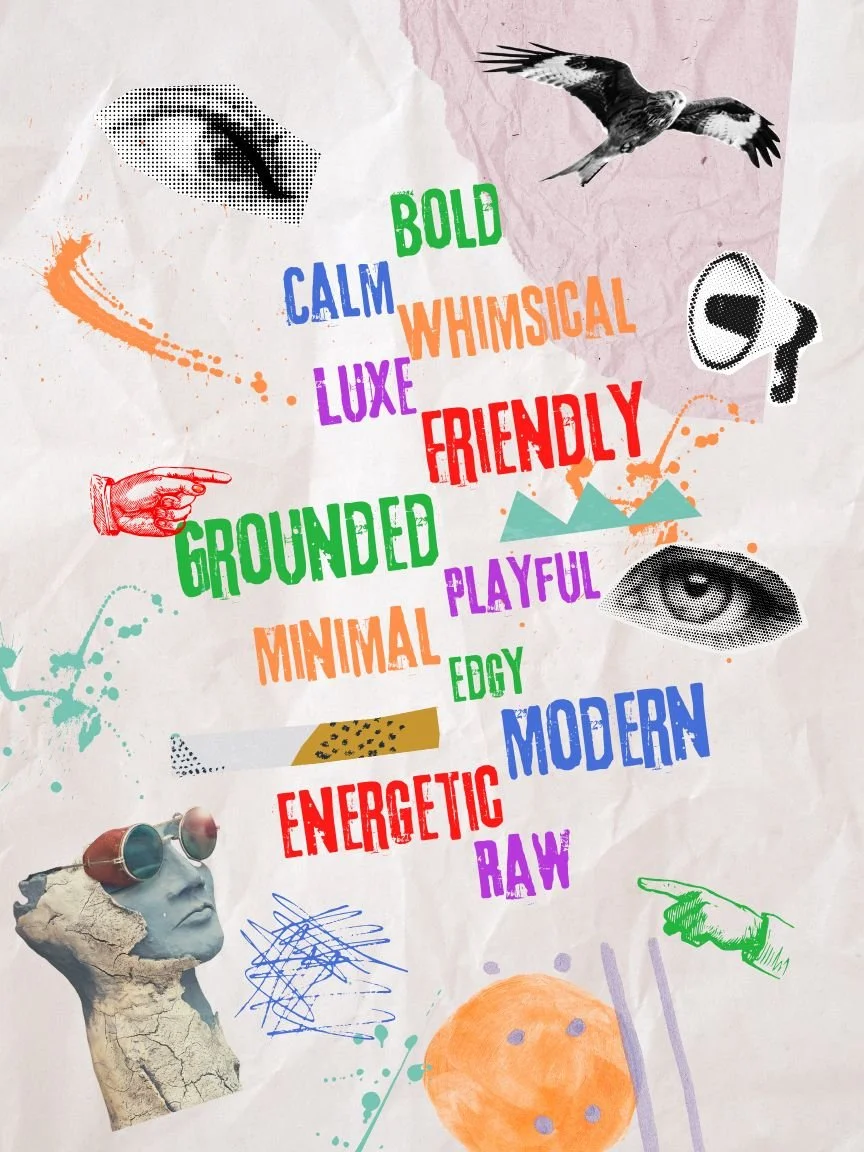
Before you pick a single color, you need to understand your brand’s vibe. Colors aren’t just decoration — they communicate emotion and personality.
Ask yourself:
What 3 words describe the way I want my brand to feel?
Here are some words to spark ideas:
Bold
Calm
Whimsical
Luxe
Friendly
Grounded
Playful
Minimal
Edgy
Once you define your brand personality, your color choices will have direction and feel more intentional — instead of just based on your favorite shade of blue.
Step 2: Understand Basic Color Psychology

Colors send signals — and each one evokes a different feeling. Here’s a quick cheat sheet of what common colors tend to communicate:
Black- Mystery, elegance, modern, bold
White- Clean, fresh, minimal, purity
Yellow- Optimistic, youthful, clarity, energy
Orange- Confident, playful, enthusiastic
Pink- Playful, charming, feminine, delicate
Red- Strength, passionate, excitement, warmth
Purple- Luxe, creative, spiritual, intuitive
Blue- Trust, professionalism, calm, stability
Green- Nature, growth, wellness, balance
Brown- Grounded, reliable, humble, organic
You don’t have to follow these meanings rigidly, but being aware of them helps you make more intentional, aligned choices.
Step 3: Collect Visual Inspiration

Once you know how you want your brand to feel and what your colors should communicate, it’s time to look for visual inspiration — this time with direction.
Instead of endlessly scrolling Pinterest, try this:
Create a moodboard in Canva or Pinterest
Pin/save images, textures, or colors that match your brand’s personality
Pay attention to what themes and tones keep showing up
This step turns your vibe into something visual — and keeps you from picking colors that look nice but don’t reflect your brand.
Step 4: Build a Balanced Palette
Now you’re ready to build your actual palette! Use tools like Co0lors or Canva’s palette generator to pull hex codes from your moodboard.
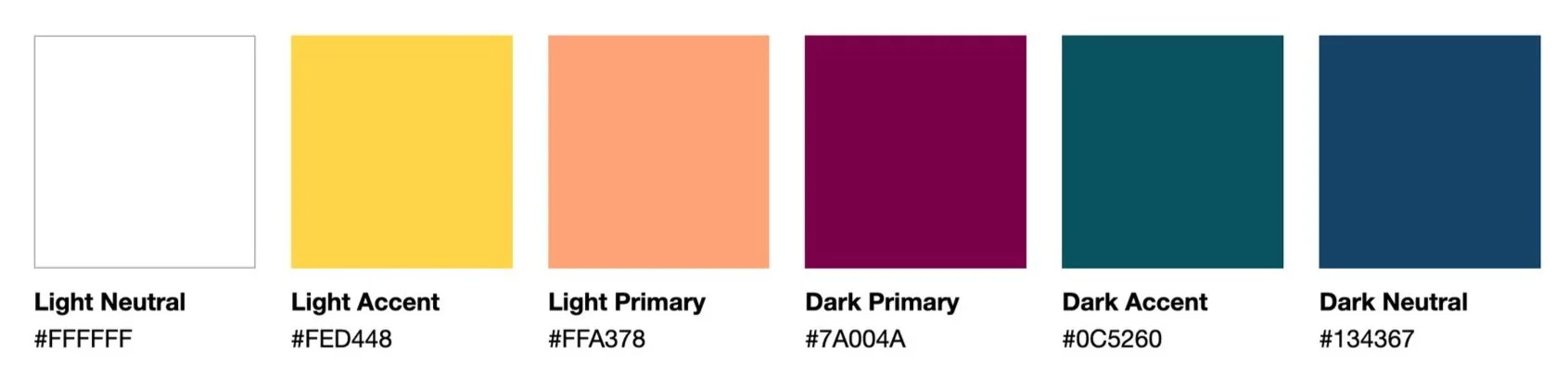
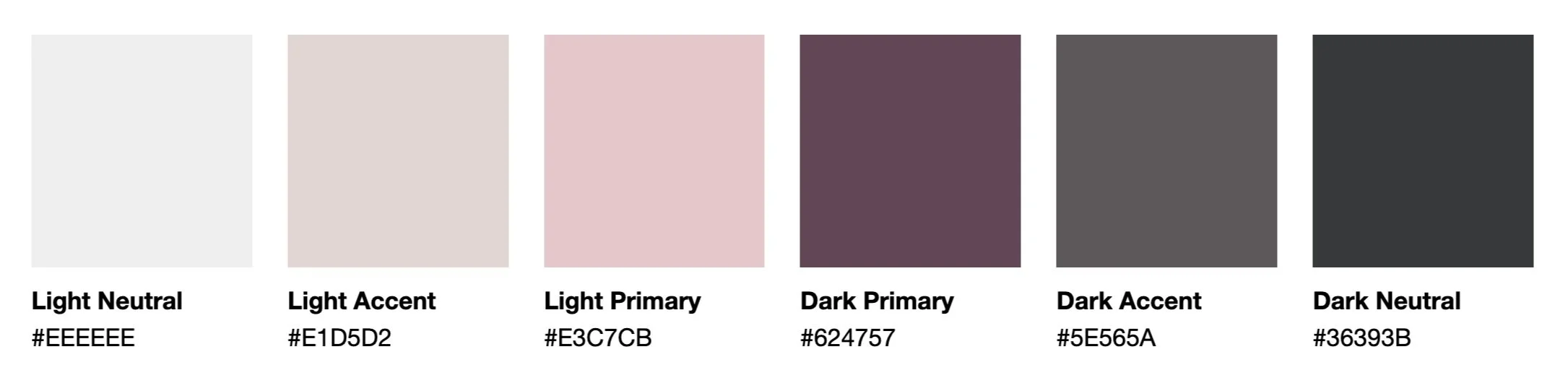
Here’s a simple palette structure I recommend:
1-3 Primary Colors – your main brand colors (these are the color you will use the most)
1–3 Accent Colors – bold or contrasting shades for buttons, highlights, or section breaks
1 Light Neutral Color – for backgrounds, whitespace, or soft elements
1 Dark Neutral Color – for contrast in text, headers, or overlays
Quick Examples:
Soft & Minimal Color Palette:
Bold & Vibrant Color Palette:
Ask yourself:
Do these colors reflect my brand personality — especially when used together?
Step 5: Test Contrast & Refine
Design is about more than aesthetics — it also needs to be accessible. That means checking for contrast between your colors.
Use these tools:
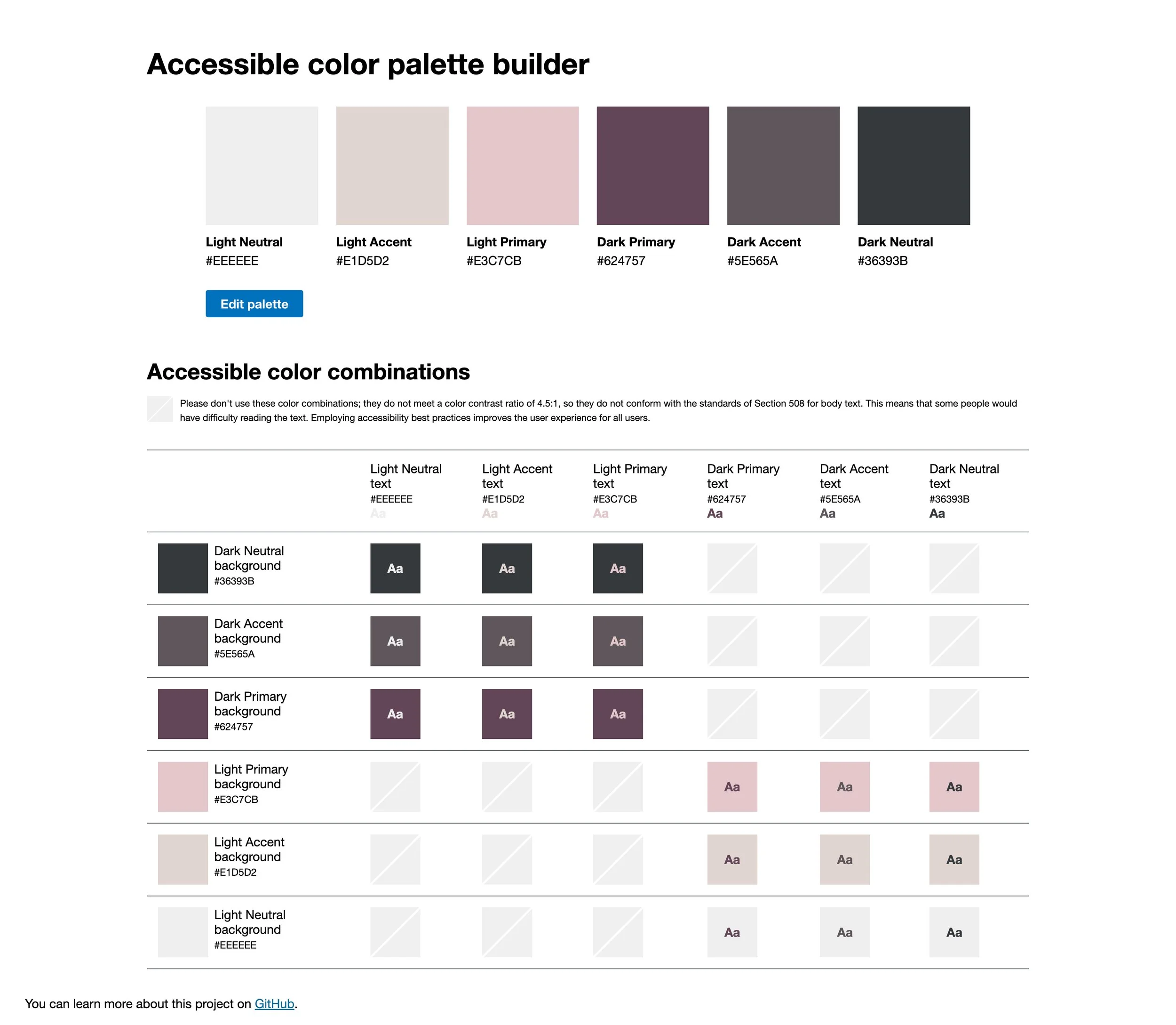
Toolness Accesible Color Matrix – See which color combinations pass accessibility standards
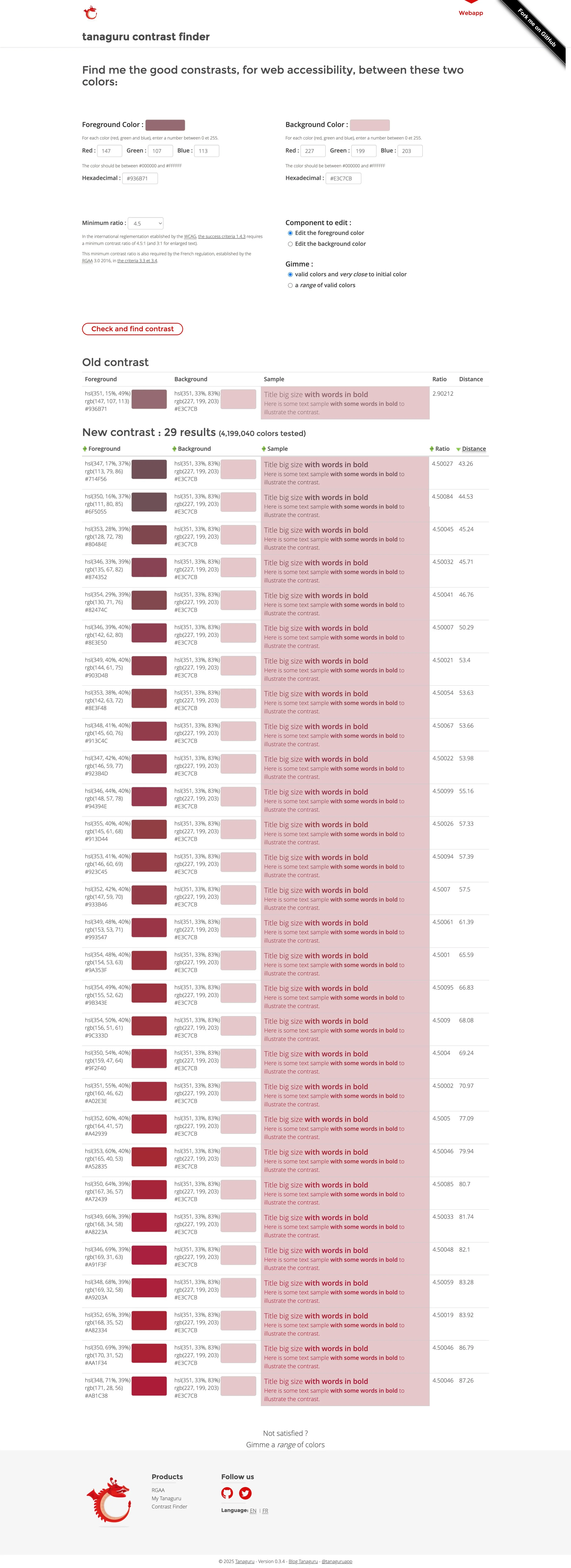
Tanaguru Contrast Finder – Suggests high-contrast alternatives if yours don’t pass
Coolors – Adjust shades slightly to improve contrast
Aim for at least half of your color pairs to pass contrast checks, especially for text on backgrounds.
Step 6: Finalize & Use your NEw Color Palette
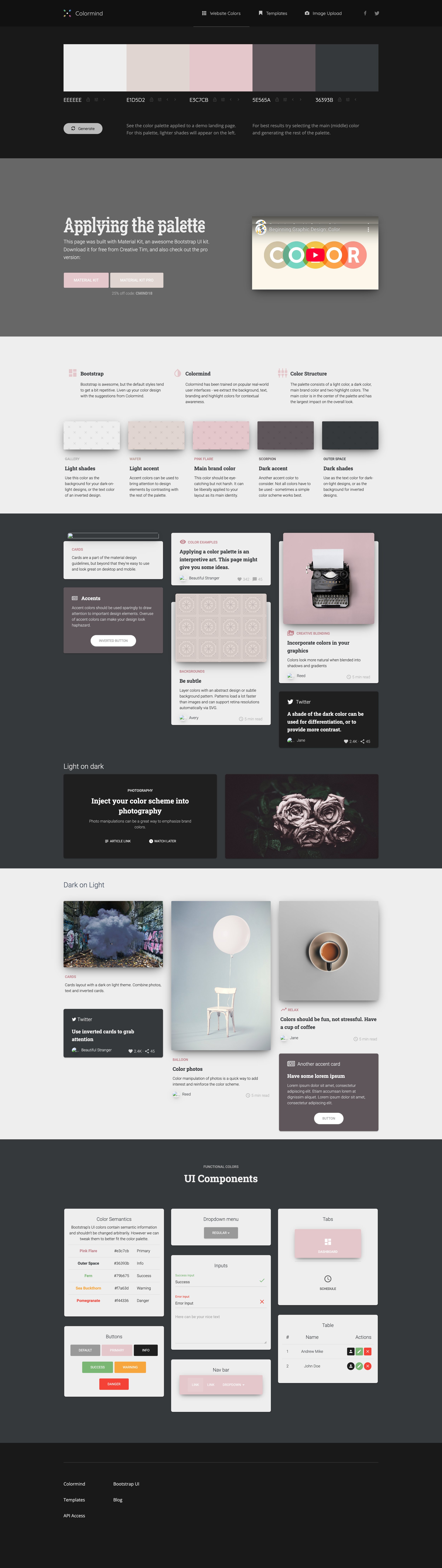
Use a tool like Colormind.io to preview your palette on a mockup website layout — so you can see it in context, not just as swatches.
Once you’re happy, save your final palette in a simple brand guide, or create a Canva template with your color codes built in.
Reminder: Done is better than perfect. Your palette should feel like you, not like whatever’s trending this week.
Ways to Use Your Color Palette:
Website backgrounds + text styles
Social media templates
Buttons + call-to-actions
Brand photography styling
Client presentations or PDFs
Packaging and printed materials
🛠 Helpful Tools Recap:
Coolors.co – to build and browse palettes
Pinterest and Canva – collect visual inspiration and create a moodboard
Toolness – check color contrast at a glance
Tanaguru – find better contrast pairs
Colormind.io – see your palette in a website mockup
Bonus:
Big Color Palette – generate themed palettes with up to 10 colors (less user-friendly, but still useful)
Still feeling stuck?
I’d love to help you build a brand that reflects your personality, your values, and your vibe.
Let’s create something beautiful together!
